
Skip to content

Official launch autumn 2026. Beta pre-registration open – billing only starts on activation.

All POS pages
LidoOS POS · Box

A computer in the house that keeps running.

The box is LidoOS POS on your premises: the same set of features as in the browser, plus your printers and devices in the house — and an evening that carries on even when the internet is down.

  • Set up from a stick
  • Printers and devices in the house
  • Keeps running when the internet is down
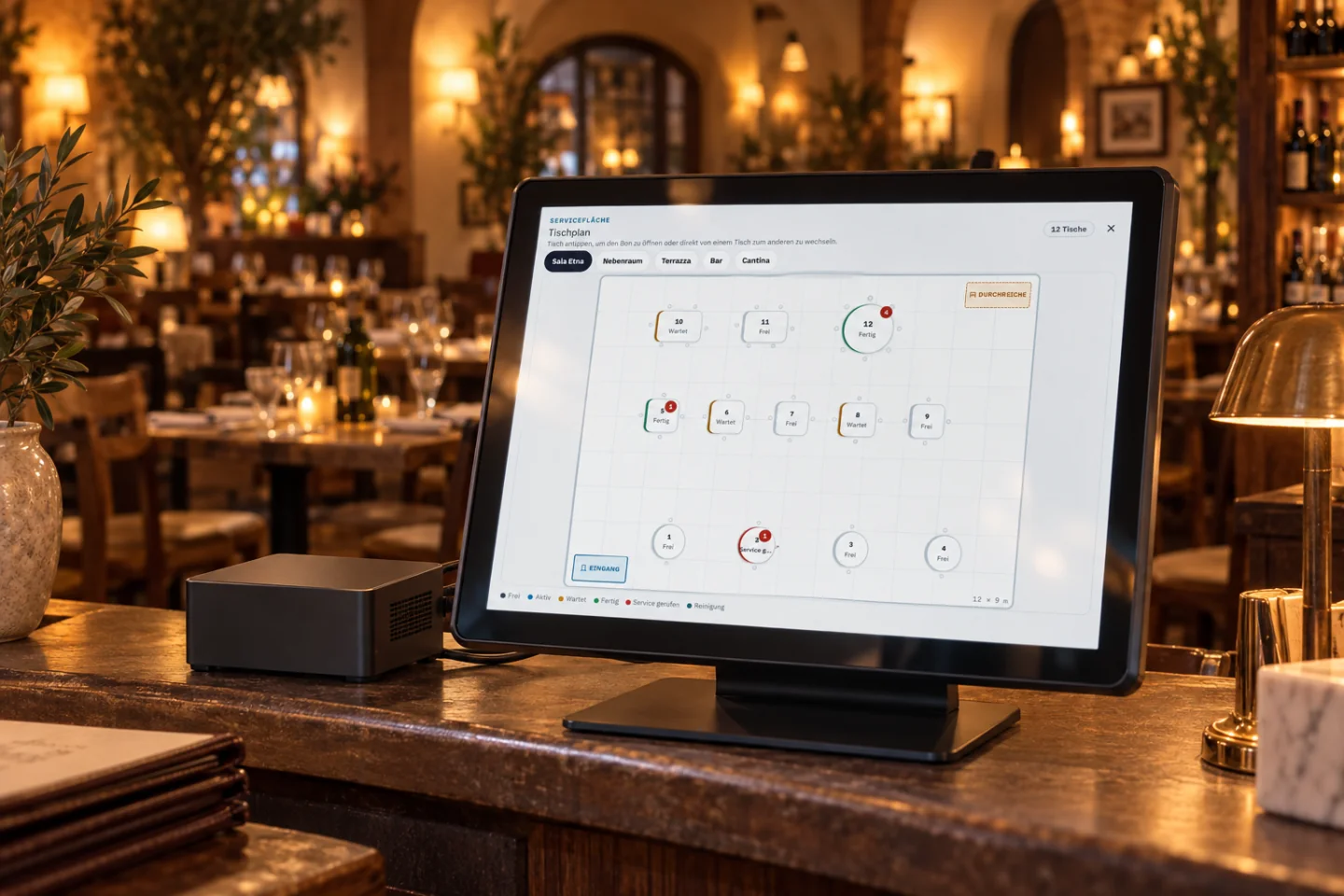
Till screen with the floor plan on a restaurant counter, the box next to it.
The box on the counter · illustrated scene

Set up your box

Six tasks, one box.

Plug in, start, set up.

You put the installation stick into the computer that is going to stay with you and start it. The assistant asks for the LidoOS address, the activation code from Nova, country and currency — that is all you need for the first start.

First setup of the box with LidoOS address, activation code, country and currency.
First setup of the box · Via Palermo

One code connects your venue.

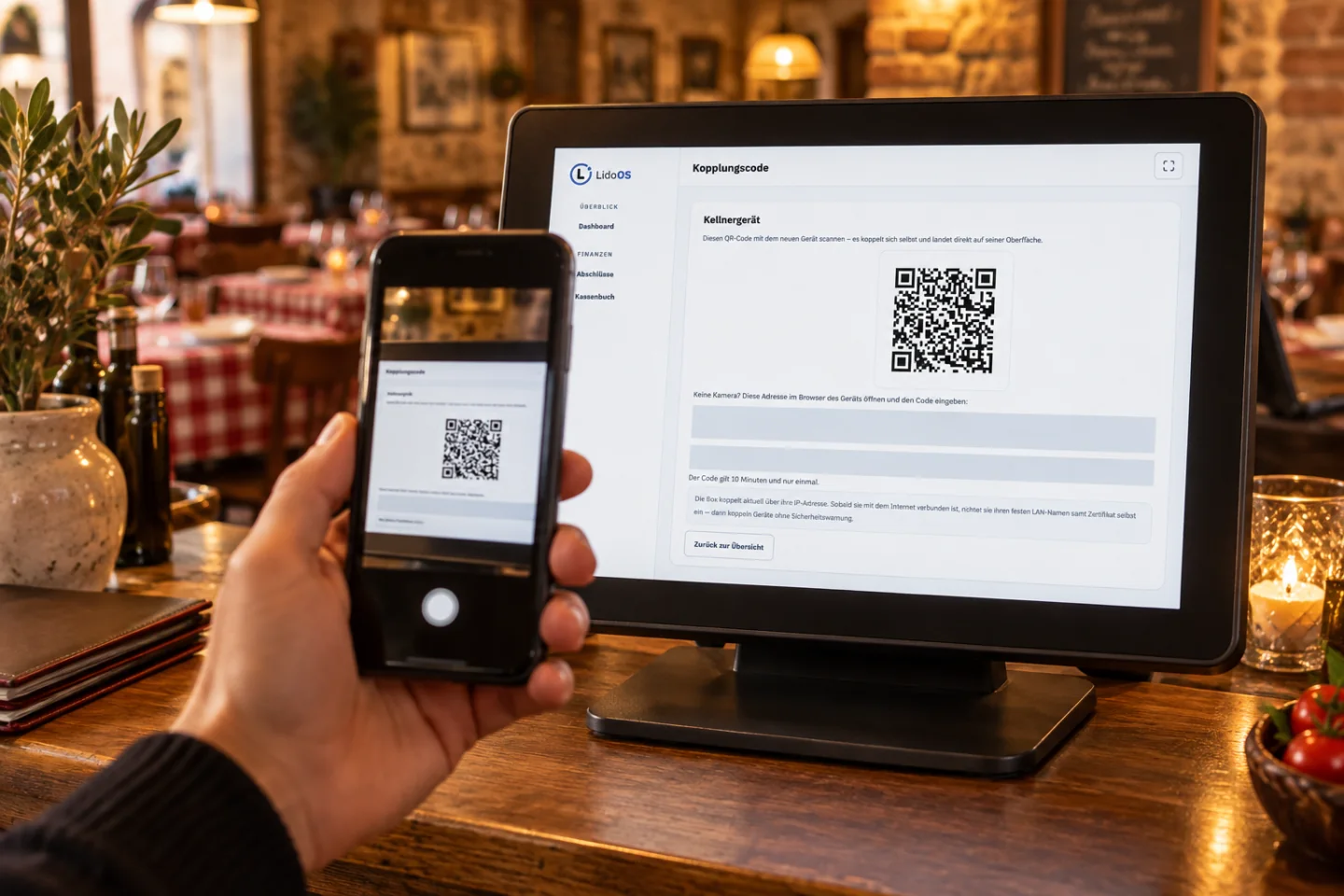
In Nova you create the activation code for your venue and enter it on the box. After that the box knows which business it belongs to and pulls menu, rooms, tables and staff. Pairing waiter handsets is just as easy: scan the QR code at the till, done.

A phone scans the pairing code on the till screen.
Pairing a handset by QR code · illustrated scene

Handsets, screens, displays — all on the same box.

Waiter handsets, kitchen screens, customer display and pickup screen all register with the same box. You see which device is connected and when it last reported in, and you can sign a device out again at any time.

Registered waiter handsets on the box.
Registered waiter devices · Via Palermo

Your printers, where they belong.

The box searches your network for printers and shows you what it found. You decide which one prints the guest receipt, which the kitchen ticket and which the closing, and name a stand-in for each. A test print tells you whether it all fits.

If the internet goes down, the evening goes on.

Because the POS server stands in your house, you send orders, take payments and print as always — receipts included. Service notices nothing. Whatever has to go outside is collected by the box and sent as soon as the line is back.

The till keeps working while the internet is down.
Working on while the internet is down · Via Palermo

What your box is doing, you see in Nova.

In Nova you see for every venue whether the box can be reached, which version it runs, which printers and screens are registered and when they last reported in. New releases are fetched by the box itself — you do not have to touch anything on site.

LidoOS Copilot

No AI in this module

No AI in this module

Setup, devices and printers are operated by you. No model makes decisions here.

You pair, name and release.

If you use the AI waiter, it works in Nova — the box carries out what arrives as an order.

Nova and the box

Nova stays the hub. The box stands with you.

Your business is managed in Nova. The work happens on site.

  • From Nova: menu, rooms, tables, staff and the settings of your venue.
  • Back to Nova: revenue, closings and receipts, plus the state of box, printers and screens.
  • On site: till, handsets and kitchen screens talk directly to the box — short paths, even when the internet is down.
POS and Nova

The limits

What needs to be in place first.

A computer that can stay with you, and a working network in the house. For installation and setup you need the internet once, so the box can connect to your venue. Printers, screens and displays sit on that same network.

Availability

Part of LidoOS POS.

LidoOS POS — coming soon. Terms in the shop; we will plan the introduction together.

Discuss POS for your restaurant.

Tell us about your local network and printers.

Short answers

Your POS questions

Do I need the box to use LidoOS POS?

No. LidoOS POS runs in the browser from the cloud or on the box in your restaurant, with the same set of features. The box adds two things: the evening carries on when the internet is down, and your printers and devices connect straight to it.

What happens when the internet goes down?

Payments, orders and receipts carry on, because the POS server stands in your house. Whatever has to go to Nova or to online services is collected by the box and sent as soon as the line is back.

What do I need before the stick starts?

A computer that can stay in your restaurant, a network in the house and the internet once for installation and setup. You get the activation code in Nova. Which printers and devices you connect, we discuss before the start.

The captures show the sample restaurant Via Palermo with invented devices and transactions. The scenes with the box on the counter are illustrated.

Your service.
Your devices. Your POS.

Tell us how you work: dining room, terrace, counter or self-service. Together we will define your operating mode, devices, Nova modules and terms.